


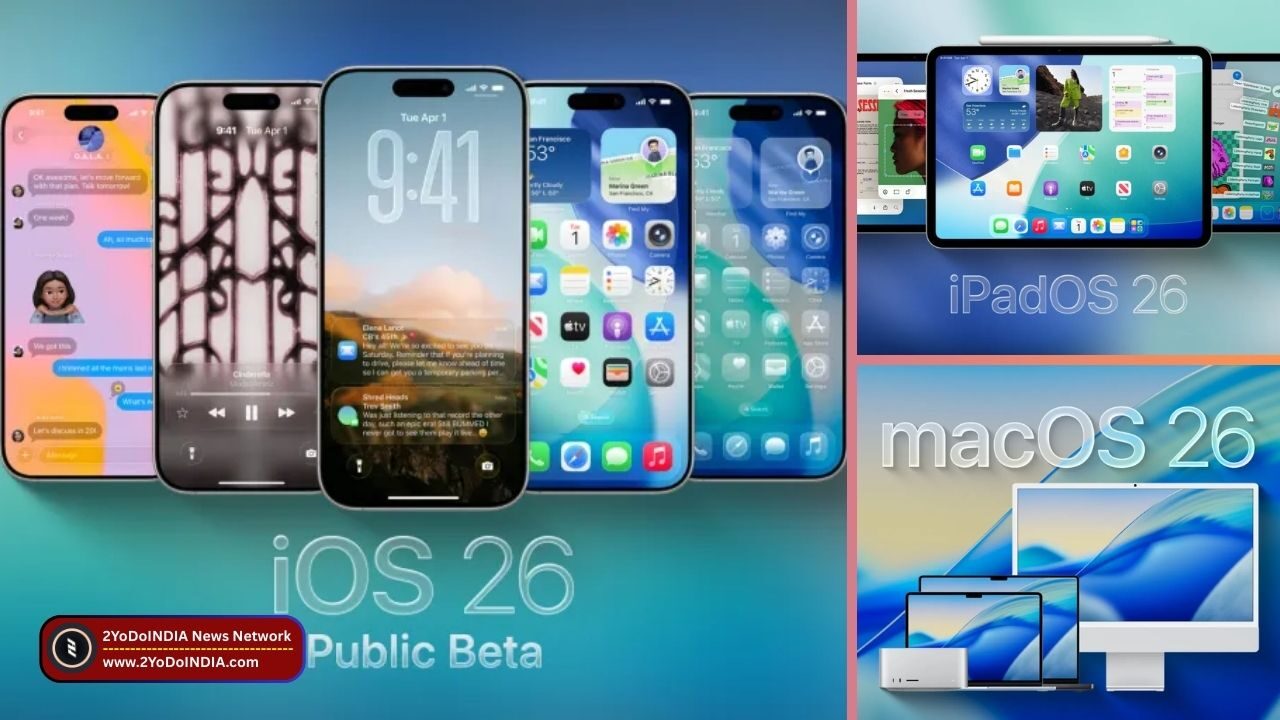
Apple’s iOS 26 update is now rolling out to eligible iPhone models with iPadOS 26 and macOS Tahoe. The operating system (OS) update for iPhone, iPad, and Mac computers was showcase at Apple’s Worldwide Developers Conference (WWDC 2025) in May.
This new OS brings Apple’s new Liquid Glass technology, new lock screen features, upgrades to existing features and new artificial intelligence (AI)-power Apple Intelligence features.
iOS 26
iOS 26 Rolls Out Date and Time in India
As per Apple, the iOS 26 update will be available starting from 15th September 2025.
As Apple did not specify a time for the release of the OS update, previous iOS iterations have roll out at 10:30pm IST.
Eligible Devices for iOS 26 Update
Apple says all iPhone models that have enroll in the beta programme and have receive subsequent updates will support the stable release of iOS 26.
This includes the previous flagships such as the iPhone 16 Pro and iPhone 16 Pro Max with the affordable iPhone 16e.
While, the iPhone 17 series and iPhone Air, which go on sale beginning 19th September 2025, will also come with the new iOS 26 update out-of-the-box.
Apple Intelligence features will be limited to the iPhone 15 and iPhone 15 Pro, iPhone 16 series, iPhone 16e, iPhone 17 series, and the iPhone Air.
The full list of devices includes:
1. iPhone 17 Series
2. iPhone Air
3. iPhone 16e
4. iPhone 16 Series
5. iPhone 15 Series
6. iPhone 14 Series
7. iPhone SE (2022)
8. iPhone 13 Series
9. iPhone 12 Series
10. iPhone 11 Series
Features of iOS 26
As per Apple, iOS 26 introduces a new Liquid Glass UI.
iOS 26 can reflect and refract light, thus reacting to its surrounding visual elements.
Apple says it brings a more cohesive appearance across Apple devices, inspire by visionOS.
Customisation options have expand for both the lock screen and the home screen.
There’s a new Clear option which can be applied to icons, in line with the Liquid Glass.
Apple has also overhaul the interface of the Camera app with iOS 26, which has an improve layout and easy switching between different modes.
Some of the changes to the Photos app introduce in 2024 have roll back, with two separate tabs for Library and Collection views.
Apple’s latest OS update also expands the Apple Intelligence Suite with the addition of Live Translation and Call Screening.
The former leverages on-device AI models to automatically translate audio and text in real-time across English, French, German, Italian, and other languages.
While, the latter is inspire by its namesake on Google Pixel devices, using Live Voicemail to collect information about the caller and their purpose behind calling.
Recepients can then decide whether they want to take up the call.
Some other changes in iOS 26 include AutoMix and Lyrics Translation in Apple Music, a new Apple Games app, the Visited Places option in Maps, and more dedicated actions for Image Playground and Writing Tools.
How to Download and Install the iOS 26 Update?
Follow These Steps :
1. Open Settings on your iPhone
2. Navigate to the General tab to find the Software Update option
3. The iPhone will automatically check for any pending updates
4. Tap on the Download & Install option, read the terms and conditions and agree to them
5. iOS 26 will then be download and install on your iPhone
iOS 26: AirPods Pro 2, 4 और Pro 3 के लिए 7 नए फीचर्स | Apple AirPods Firmware Update: Sleep Detection, Translation, Studio Recording
— 2YoDoINDIA (@2yodoindia) September 16, 2025
About iOS 26, iPadOS 26 and macOS Tahoe : https://t.co/L9oKQn3gKm#2YoDoINDIA #Apple #AirPodsPro3 #AirPodsPro2 #AirPods4 #AirPods #iOS26 pic.twitter.com/tJTORtdCh0
iPadOS 26
Eligible Devices for iPadOS 26 Update
- iPad Pro (M4)
- iPad Pro 12.9‑inch (3rd generation and newer)
- iPad Pro 11‑inch (1st generation and newer)
- iPad Air (3rd generation and newer, including M2 and M3)
- iPad (8th generation and newer, including A16)
- iPad mini (5th generation and newer, including A17 Pro)
How to Download and Install iPadOS 26 Update?
Follow These Steps :
- Open the Settings app on your iPad.
- Scroll to General
- Now tap to Software Update.
- Your iPad should automatically search for any pending updates.
- Wait till the iPadOS 26 update appears.
- Tap Update Now.
- Tap Install Now to install the update.
macOS Tahoe
Eligible Devices for macOS Tahoe
- MacBook Air with Apple silicon (2020 and newer)
- MacBook Pro with Apple silicon (2020 and newer)
- MacBook Pro (16‑inch, 2019)
- MacBook Pro (13‑inch, 2020, Four Thunderbolt 3 ports)
- iMac (2020 and newer)
- Mac mini (2020 and newer)
- Mac Studio (2022 and newer)
- Mac Pro (2019 and newer)
How to Download and Install macOS Tahoe Update?
Follow These Steps :
- Find the Apple Menu button on the desktop at the top corner of the screen
- Go to System Settings.
- Click on General.
- A Software Update menu should pop up in the window, and the device will automatically look for pending updates
- Click on Update Now when macOS Tahoe appears
- Enter your admin password to begin the installation process.
NOTE : Do not close the lid of the MacBook or let your Mac computer go to sleep during this process.

